01 / Short answer
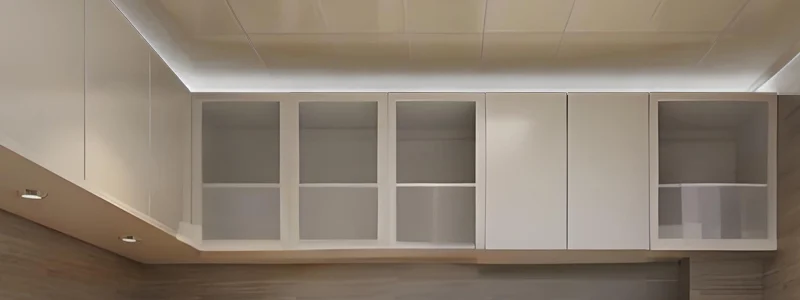
Above-cabinet lighting works when the source is hidden, the ceiling wash is deliberate and the power path remains accessible. Brightness alone cannot correct poor placement or missing service access.
Homeowners, kitchen installers and DIY builders planning indirect LED lighting above cabinets or shelving
CHECKPOINT / 01
Define the wash before choosing the strip
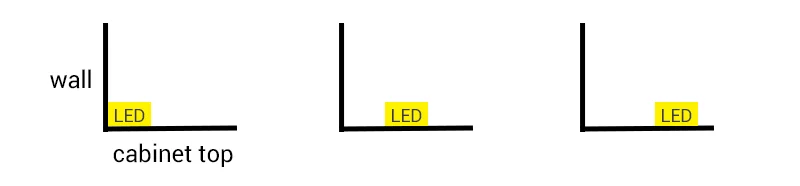
Look at the ceiling, wall, cabinet depth and normal viewing positions. A strip placed against the wall creates a tighter vertical wash; moving it forward can create a broader gradient and hide the source from standing sightlines. The correct position depends on the architecture, surface reflectance and diffuser, so mark two or three positions and test them at the intended brightness.
- Decide whether the light is ambient, decorative or expected to support a task.
- Keep the emitter out of direct view from the room and nearby seating.
- Inspect the ceiling for seams, texture and reflective finishes that may reveal hotspots.
CHECKPOINT / 02
Use a profile when the finish needs control
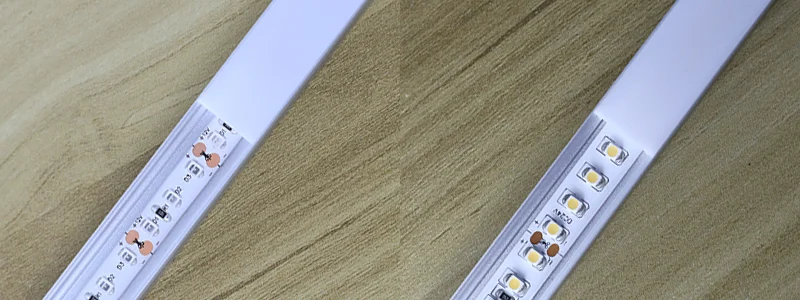
An aluminum profile can provide a straight mounting line, a repeatable diffuser position, physical protection and a conductive heat path. It is especially helpful above cabinets where dust, heat and adhesive failure are common. Confirm strip width, coating height, connector clearance and bend direction before cutting the channel or choosing a corner profile.
- Compare the channel cavity with the complete strip cross-section.
- Use a diffuser when the source or individual emitters are visible from the room.
- Leave enough end space for the wire exit and a removable cover.
CURRENT PRODUCT RECORDS
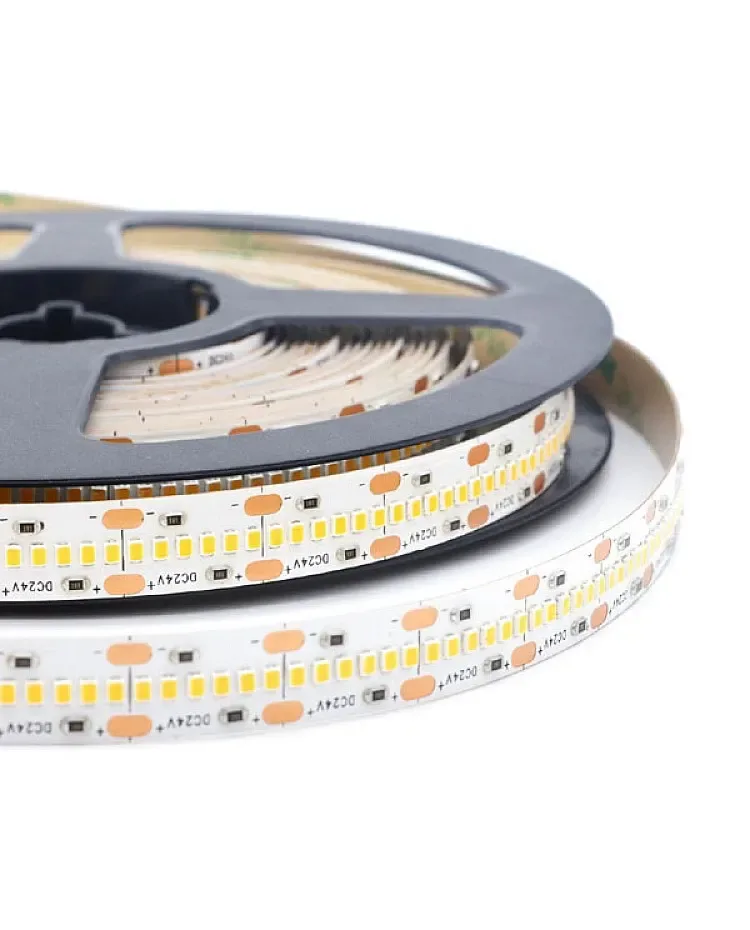
2216 CCT LED strip, 420 LEDs View productCHECKPOINT / 03
Place and join runs with the room geometry
Measure each cabinet section separately, including gaps, returns and corners. Plan where a run starts, where it ends and how the cable crosses between cabinets. A continuous visual line may still need separate electrical branches so voltage drop and service access remain manageable. Keep every branch label and cut length in the project record.
- Use a small setback from the wall when a broader wash is wanted.
- Do not bridge a cabinet gap with a cable that can be seen from normal sightlines.
- Treat corners as a mechanical and optical transition, not only as an electrical splice.
CHECKPOINT / 04
Protect the installation from dust, heat and moisture
Choose the strip construction from the real environment. A dry indoor cabinet top may suit an uncoated strip, while grease, steam or splash exposure may require a different construction and sealed connection. A coating can change the width, bend radius and heat path. Profiles with removable covers are often easier to clean and repair than a strip bonded directly to a dusty surface.
- Clean and dry the mounting surface before applying adhesive.
- Add clips or mechanical support for a permanent run where heat can weaken adhesive.
- Keep the supply and controller away from trapped heat and provide ventilation where required.
CURRENT PRODUCT RECORDS
2216 CCT LED strip, 420 LEDs View productCHECKPOINT / 05
Keep a physical switch and a repair route
Smart control can add scenes, dimming and scheduling, but a physical override remains useful during network outages or service. Match the controller, driver and strip channel topology, then size the supply from maximum declared load with headroom. Test the far end at the planned bright state, label the driver and leave access through an adjacent cabinet or removable panel.
load_w = total_length_m * watts_per_m
supply_w >= load_w * 1.20
record: branch + fuse + cable + controller + access
CURRENT PRODUCT RECORDS
2216 CCT LED strip, 420 LEDs View productVISUAL REFERENCES
See the layers before you specify the parts.
FAILURE MODES
What usually goes wrong
- The strip is placed against a reflective ceiling or wall and produces visible hotspots.
- A profile is selected by outer size while the coated strip or connector does not fit the cavity.
- One long run crosses several cabinet sections without a voltage-drop or branch plan.
- Adhesive is treated as permanent mechanical support on a hot or dusty cabinet top.
- The supply and controller are hidden behind fixed cabinetry with no manual override or replacement path.
TECHNICAL BASIS / VERSION
Keep the decision current
This guide is maintained as a versioned technical record. Recheck the current protocol documentation and the exact product revision before using it in a production installation.
Confirm the selected voltage, light engine, driver, controller, firmware and installation conditions against the product record and project brief.
FAQ / QUICK ANSWERS
Common questions about this lighting setup
Where should an LED strip be placed above a cabinet?
Start from the desired ceiling wash and the normal viewing sightline. A small setback often broadens the wash and hides the source, but the best position depends on the ceiling, cabinet depth, surface finish and diffuser. Test the actual strip before fixing the run.
Is an aluminum profile necessary above cabinets?
It is not required for every low-power concealed installation, but it improves alignment, heat spreading, physical protection and cleanability. It becomes more valuable when the source is visible, the strip is high density or the run must remain serviceable.
Can above-cabinet lighting use a smart controller?
Yes, when the exact strip, driver and controller paths are compatible and documented. Keep a physical override and a known-good manual scene so the light remains usable if the network or automation layer is unavailable.
READING LIST
Reference points used for this guide
The page is rewritten for LumaCircuit readers. These references establish the original topic or technical context; they do not replace an exact product review or a LumaCircuit test record.
- Reference article / permanent above-cabinet lighting installation