01 / Short answer
A profile is the shared optical, thermal and mechanical interface. Choose the strip, channel depth, diffuser and viewing angle as one assembly.
Anyone designing a visible, low-glare or uniform linear LED detail
CHECKPOINT / 01
Use the profile to solve more than hotspots
An aluminum profile spreads heat away from the strip, protects the board and sets the distance to the diffuser. It also gives the installer a straight, repeatable mounting line. A strip stuck directly to wood or painted furniture may look acceptable at first and then suffer from heat, dust, uneven adhesion or visible points. The profile is not decoration added at the end; it is part of the light-engine specification.
- Check strip width, height and bend direction before ordering the channel.
- Leave a route for power cables and connectors at the channel ends.
- Use a profile when the strip is visible, high-power, difficult to replace or part of a finished surface.
CHECKPOINT / 02
Select the diffuser by the visual job
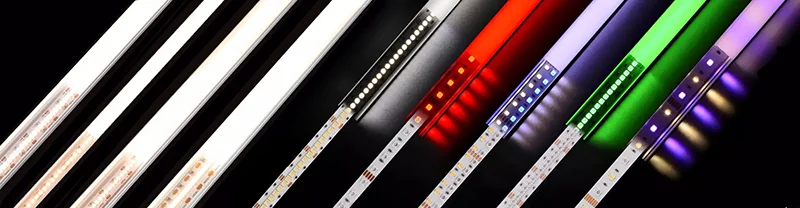
A clear cover passes more light but can reveal individual emitters. An opal or milky cover hides more of the source and gives a smoother line at the cost of transmission. A frosted cover sits between those outcomes. Dark covers are useful for controlled decorative accents but normally reduce output. Lens or directional covers concentrate light for an accent or wall-grazing job, while flexible silicone diffusers support curved paths. These are optical choices, not interchangeable color names.
- Direct-view line: prioritize source concealment and glare control.
- Task surface: compare transmission, beam shape and measured output.
- Wall wash: check the beam direction and the distance from the wall.
CHECKPOINT / 03
Depth and density work together
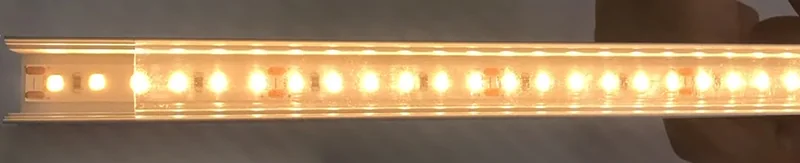
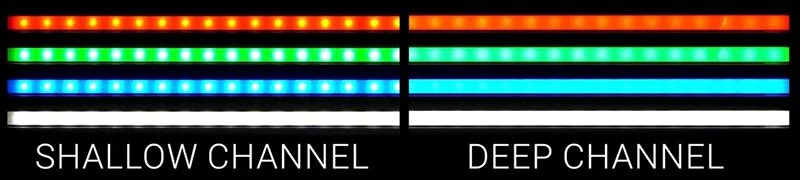
Moving the strip farther from the cover gives the light more space to blend. A denser strip reduces the size of dark gaps between emitters. Both changes can improve uniformity, but a deeper channel may not fit the furniture and a denser strip increases power and heat. Mock up the actual strip, cover and surface at the intended viewing distance before committing to a long run.
- Inspect from seated, standing and close service angles.
- Compare the far end of the strip, not only the first metre.
- Do not use a diffuser to hide a power or color-temperature mismatch.
CURRENT PRODUCT RECORDS
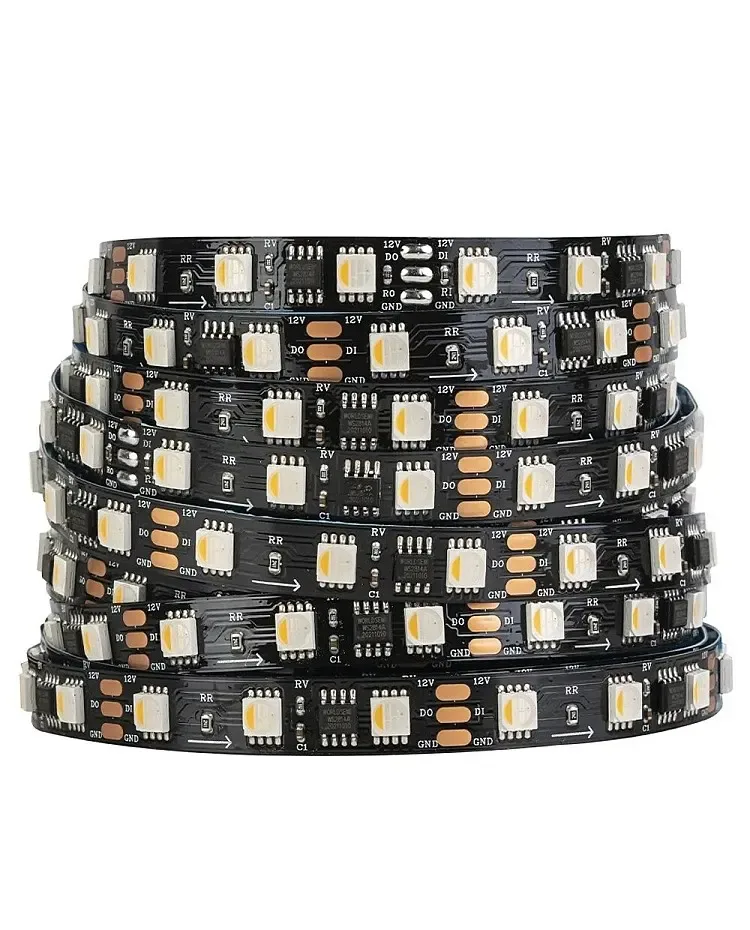
24 V WS2814 RGBW addressable LED strip View productCHECKPOINT / 04
Check the complete channel fit
A channel can accept the nominal strip width and still fail because the coating, solder joint, connector or cable bend is taller than the cavity. The current linked profile record lists a 12.3 mm inner width and a 12 mm maximum strip width; that is a starting specification, not permission to force a coated or connectorized variant into the slot. Confirm the real cross-section, end caps, mounting clips and cover before cutting the surface.
fit_check = strip_width + coating + cable_exit
visual_check = depth + diffuser + viewing_angle
approve = fit_check && visual_check && thermal_path
CHECKPOINT / 05
Install, light and inspect before handoff
Cut and deburr the channel, clean the strip bed, mount the profile, route the cable with strain relief, then test the strip before pressing in the diffuser. Inspect at full intended brightness and at the dimming floor. Record the selected cover, strip variant, cut length, supply, controller and any visible non-uniformity. A serviceable profile should allow the diffuser, strip and wiring to be removed without destroying the surrounding finish.
- Keep the diffuser removable where maintenance is expected.
- Leave a service loop and label the power entry.
- Photograph the completed assembly from the actual user sightline.
VISUAL REFERENCES
See the layers before you specify the parts.

FAILURE MODES
What usually goes wrong
- A shallow clear cover is used with a sparse strip and the hotspots remain visible.
- The channel is wide enough on paper but the waterproof coating or connector cannot fit.
- A deep channel or opal cover is chosen without budgeting the resulting light loss.
- The profile is installed without a thermal contact path or with adhesive covering the heat-spreading surface.
- The final inspection is done from one angle and misses glare or dark sections in normal use.
TECHNICAL BASIS / VERSION
Keep the decision current
This guide is maintained as a versioned technical record. Recheck the current protocol documentation and the exact product revision before using it in a production installation.
Confirm the selected voltage, light engine, driver, controller, firmware and installation conditions against the product record and project brief.
FAQ / QUICK ANSWERS
Common questions about this lighting setup
Does a deeper profile always create a better line of light?
It usually gives the light more distance to blend, but the result depends on strip density, cover transmission, channel geometry and viewing angle. A deeper profile can also reduce output or fail to fit the surface.
Which diffuser is best for a dotless installation?
Start with the target sightline and output requirement. A high-density COB or SMD strip with a suitable opal cover and enough distance can create a smooth line, but it should be checked in a physical mock-up.
Can the current 12 mm strip fit the linked profile?
The current profile record lists a 12.3 mm inner width and 12 mm maximum strip width. Confirm the exact strip coating, solder joint, connector and cable exit before treating that nominal width as a final fit.
READING LIST
Reference points used for this guide
The page is rewritten for LumaCircuit readers. These references establish the original topic or technical context; they do not replace an exact product review or a LumaCircuit test record.
- Reference article / LED profile and diffuser basics