01 / Short answer
The install is successful when the strip has a clean thermal path, an honest cut plan, protected connections and a test record before the adhesive is hidden.
DIY builders, installers and designers turning a strip-lighting plan into a serviceable installation

CHECKPOINT / 01
Survey the room and the mounting surface
Measure each run, note corners and access panels, and mark where the controller and supply can be reached later. Wood, painted furniture, plaster, metal and wet-area surfaces behave differently. A strip trapped against an insulating or poorly prepared surface can run hotter and lose adhesion. Choose a profile or a suitable carrier when the run is visible, high-power or difficult to service.
- Leave room for the diffuser, wire bend radius and end treatment.
- Keep the power supply and controller out of heat pockets and reachable after the finish is installed.
- Do not let the adhesive become the only mechanical support for a long or outdoor run.
CHECKPOINT / 02
Select the strip from the actual environment
Static white, CCT, RGB, RGBW and addressable strips have different channel and controller requirements. For a dry concealed run, an uncoated board may fit a narrow profile better. For splash exposure, the coating or sleeve changes the strip width, bend behavior, heat path and connector strategy. Confirm the exact voltage, width, density, IP treatment and cut interval before you make the channel or cabinet cut.
- Use a sample to verify color, brightness, diffuser fit and bend radius.
- Treat coated and uncoated versions as different mechanical parts.
- Keep a neutral or warm everyday layer separate from animated effects when the room needs useful light.
CURRENT PRODUCT RECORDS
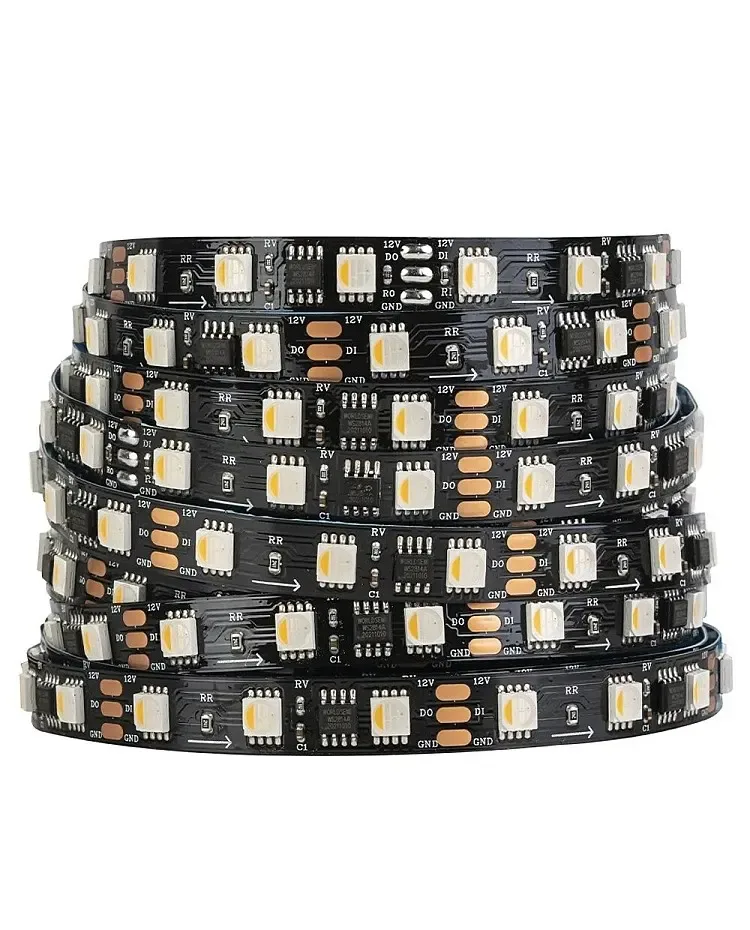
24 V WS2814 RGBW addressable LED strip View productCHECKPOINT / 03
Prepare, cut and connect without guessing
Clean the mounting surface and let it dry. Cut only on the marked interval and keep the offcut labeled with voltage, direction and channel order. On addressable tape, the arrow points from data input toward data output; on analog tape, polarity and channel order still matter. Solder or use a connector that matches the width, pin count and current. Add strain relief so the joint does not carry the cable pull.
- Photograph the first known-good segment before cutting the reel.
- Verify polarity and continuity with power removed.
- Do not mix a 12 V and 24 V section, even if the connector fits.
CHECKPOINT / 04
Power up in stages before closing the work
Test the controller, shortest strip section and supply first. Check solid white or the required color channels, then check the dimming floor, addressable data direction and the far end under the planned bright state. Measure voltage where the strip receives power, not only at the supply terminals. Resolve heat, flicker, color shift or intermittent data before installing the diffuser or sealing the access panel.
sample -> continuity -> low_brightness
full_white -> far_end_voltage -> temperature
record: variant + wiring + controller + result
CHECKPOINT / 05
Finish for the second repair
Label both ends of every branch, leave a service loop and keep a spare connector or repair lead in the BOM. A good finish hides the light source while leaving the supply, controller, fuse and connection points recoverable. For wet or outdoor installations, inspect the complete cable path after mounting; a sealed-looking end is not proof that the whole route is protected.
- Keep a simple wiring photo in the project record.
- Make the everyday light usable when the effect controller is offline.
- Record the final cut lengths and unused sections for future service.
VISUAL REFERENCES
See the layers before you specify the parts.

FAILURE MODES
What usually goes wrong
- The strip is fixed to a dusty or poorly prepared surface and releases after heating.
- A coated strip is forced into a profile with insufficient width or height.
- The cut is made between marks and leaves a dead section or a reversed data path.
- The finished wall hides the only access to the controller, connector or fuse.
- Testing is done at low brightness only, so voltage drop and thermal behavior appear after handoff.
TECHNICAL BASIS / VERSION
Keep the decision current
This guide is maintained as a versioned technical record. Recheck the current protocol documentation and the exact product revision before using it in a production installation.
Confirm the selected voltage, light engine, driver, controller, firmware and installation conditions against the product record and project brief.
FAQ / QUICK ANSWERS
Common questions about this lighting setup
Should every LED strip be installed in an aluminum profile?
Not every low-power concealed strip needs the same profile, but aluminum is strongly useful for heat spreading, physical protection and a repeatable diffuser position. Use the actual strip width, power and viewing angle to choose the channel.
Can I cut an LED strip anywhere?
No. Cut only at the marked interval for that exact variant. Addressable, analog, coated and high-voltage products can all have different cut rules.
What should be tested before the diffuser is installed?
Check continuity, polarity, data direction where applicable, every required color or white channel, maximum planned brightness, far-end voltage, temperature and controller recovery. Record the result with the variant and wiring photo.
READING LIST
Reference points used for this guide
The page is rewritten for LumaCircuit readers. These references establish the original topic or technical context; they do not replace an exact product review or a LumaCircuit test record.
- Reference article / installing LED strip lighting