01 / Short answer
A connector is an electrical interface and a mechanical joint at the same time. Match the strip width, pad layout, pin meaning, current, bend direction and environmental boundary instead of choosing by pin count alone.
Installers selecting strip-to-strip, strip-to-wire and branch connectors for analog, CCT and addressable strips
CHECKPOINT / 01
Classify the two things being joined
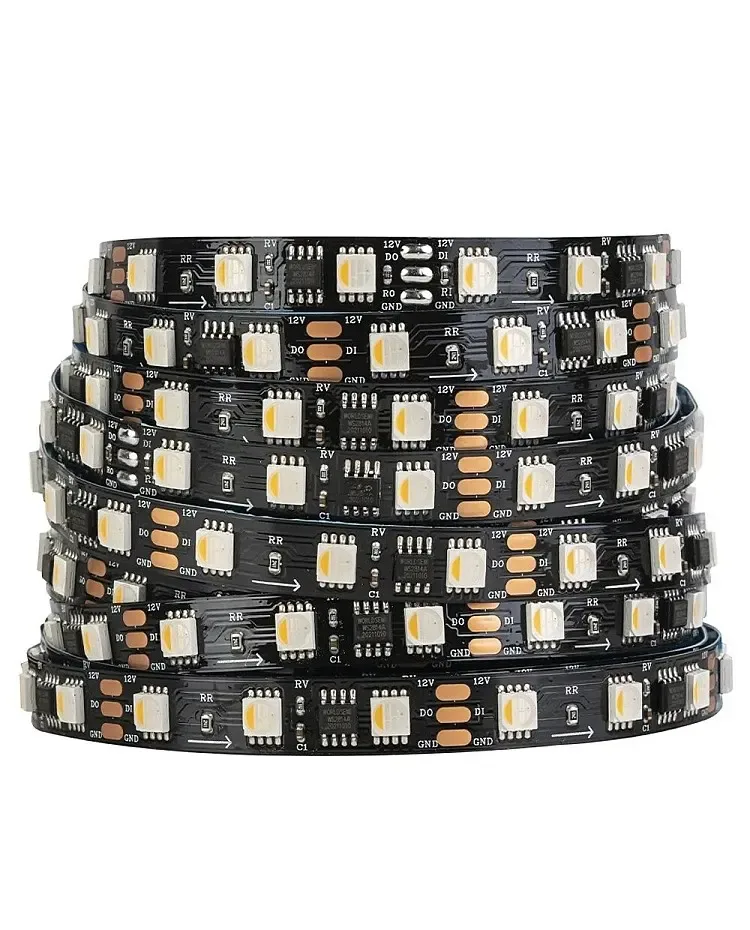
First name the interface on both sides: strip to strip, strip to wire, wire to wire, power plug or branch splitter. Then identify the light engine. A two-pin connector is usually for a single-color strip, while CCT, RGB, RGBW and addressable strips need different pad and signal arrangements. A connector that fits the board physically can still short channels or leave the data path open.
- Write the source and destination of every connector in the BOM.
- Separate analog channel pads from addressable data, clock or backup pads.
- Use the exact strip drawing and connector orientation before ordering.
CURRENT PRODUCT RECORDS
24 V WS2814 RGBW addressable LED strip View productCHECKPOINT / 02
Match width, pad pitch and pin meaning
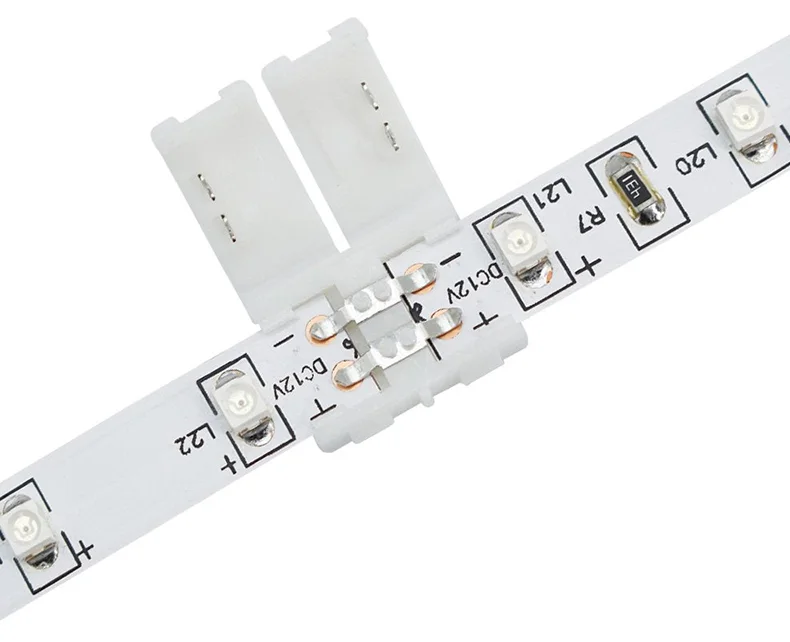
The nominal board width does not describe the coating, solder pads or connector clearance. Check the uncoated cut-end width, pad spacing, contact direction and whether the connector expects the strip face up or down. Pin count is not a wiring diagram: a four-pin RGB connector and a four-pin dual-signal addressable connector can have entirely different meanings.
- Confirm strip width and connector width as separate fields.
- Confirm common positive or common negative before clamping the contacts.
- Confirm data-in direction on a digital strip and keep the arrow visible.
CURRENT PRODUCT RECORDS
24 V WS2814 RGBW addressable LED strip View productCHECKPOINT / 03
Install the joint without crushing the circuit
Cut at the marked circuit boundary, expose clean copper where the construction requires it and slide the strip fully into the connector. The metal contacts must land on the pads, not on the silicone coating or between pads. Close the cover evenly, then add a cable bend radius and strain relief. If the joint is raised, check that the diffuser does not press on it when the profile closes.
- Use a straight cut so the contact line sits square in the housing.
- Do not force a connector designed for another board width.
- Pull-test the cable gently after the cover is closed.
CHECKPOINT / 04
Treat waterproofing as a second design problem
A waterproof strip, a waterproof connector and a sealed installation are not interchangeable statements. The exposed cut end, connector housing, cable entry, adhesive, heat-shrink and drainage path all contribute to the boundary. In a damp or outdoor location, use a connection method that is specified for the actual exposure or use a soldered and sealed joint reviewed for the assembly. Keep the joint out of standing water where the design allows.
- Do not publish the strip IP rating as the rating of the connectored assembly.
- Provide an end cap or seal at every exposed cut end.
- Plan a replaceable joint before the profile or sleeve is closed.
CHECKPOINT / 05
Approve the connector with a loaded test
Run the connector at the maximum planned brightness or color state and inspect both electrical response and mechanical temperature. Test the joint after moving the cable through its intended bend, then open the diffuser and confirm that the connection has not shifted. Record connector type, width, pinout, strip variant, sealing method and branch current so the next installer does not have to identify it from a photograph.
- Check every color or white channel after connection.
- Measure the voltage on both sides of a high-current connector.
- Keep spare connectors from the same interface with the project record.
CURRENT PRODUCT RECORDS
24 V WS2814 RGBW addressable LED strip View productVISUAL REFERENCES
See the layers before you specify the parts.





FAILURE MODES
What usually goes wrong
- The connector is selected by pin count without checking the electrical meaning of each pad.
- A 10 mm connector is forced onto a strip with a different width or coating.
- The contacts sit on the waterproof layer rather than on clean copper pads.
- A connector is called waterproof because the strip itself has an IP rating.
- A joint is hidden before current, heat, bend and channel clearance are checked.
TECHNICAL BASIS / VERSION
Keep the decision current
This guide is maintained as a versioned technical record. Recheck the current protocol documentation and the exact product revision before using it in a production installation.
Confirm the selected voltage, light engine, driver, controller, firmware and installation conditions against the product record and project brief.
FAQ / QUICK ANSWERS
Common questions about this lighting setup
Are all LED strip connectors interchangeable?
No. Match the strip width, pad layout, pin meaning, polarity, current, bend and environmental requirement. A connector can fit mechanically and still be electrically wrong.
Can I use a four-pin connector for any four-pin strip?
No. Analog RGB, dual-signal addressable and other four-pad strips can assign those pads differently. Confirm the exact pinout and data direction.
Does a waterproof strip need a waterproof connector?
The connection must preserve the required environmental boundary, but the correct method depends on the strip construction and installation. Do not infer the finished assembly rating from the strip label alone.
READING LIST
Reference points used for this guide
The page is rewritten for LumaCircuit readers. These references establish the original topic or technical context; they do not replace an exact product review or a LumaCircuit test record.
- Reference / selecting LED strip connectors by interface, width and current