01 / Short answer
Choose a controller from real outputs, pixel load, distance, transport and service access, not from the number in the product title. Data output, power branch and network universe are different limits that belong on one map.
Designers planning pixel outputs, receivers, network transport and service access
CHECKPOINT / 01
Create a complete row for every output
Before choosing the enclosure, create one row per output with pixel or channel count, voltage, data protocol, target refresh, cable distance, injection, receiver and expected scene. Separate physical pixels from controllable addresses or groups, and identify the hardware that terminates the output and the limit that must be checked.
- Name the controller, output, receiver, strip, destination and service point.
- Record the variant, IC and color order when the strip is addressable.
- Do not turn an advertised output count into load capacity without verification.
CURRENT PRODUCT RECORDS
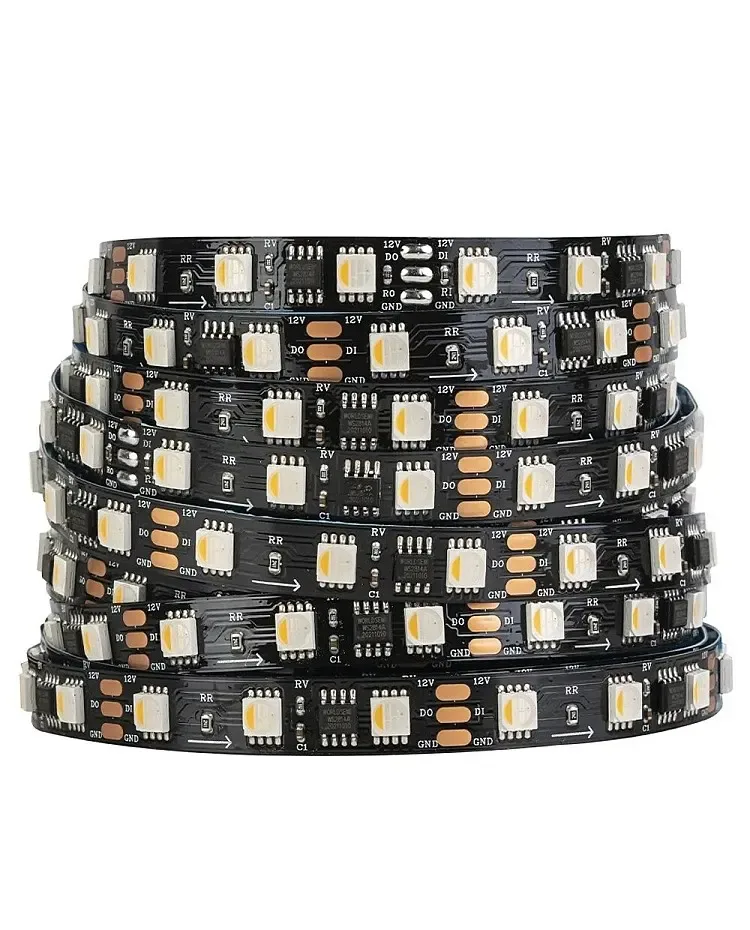
24 V WS2814 RGBW addressable LED strip View productCHECKPOINT / 02
Separate the output, receiver and data chain
Depending on the exact hardware, a controller output may go directly to a strip or to a receiver that distributes several outputs. Record which device generates the signal, which interface the receiver accepts and where each chain ends. Data-in and data-out belong to the data path; they are not the same limit as the power cable or total pixel count.
- Confirm whether the link is local, differential, SPI or another documented interface.
- Record the data direction and pixel grouping for the variant.
- Do not connect an interface because a plug or protocol name looks similar.
CURRENT PRODUCT RECORDS
24 V WS2814 RGBW addressable LED strip View productCHECKPOINT / 03
Assign universes, channels and refresh reproducibly
Write the mapping between physical output, universe, start address, channels per pixel, pixel count and target refresh. DDP, E1.31, Art-Net and the controller protocol are different layers. Resolution, frame rate and network load depend on the data actually sent and the hardware receiving it.
- Save an identifiable mapping export with the firmware version.
- Test the limit at the intended brightness and frame rate.
- Reserve addresses and ports for service, not only for the first scene.
output_row: pixels + voltage + protocol + refresh + distance
map: controller_output -> receiver_or_strip -> universe
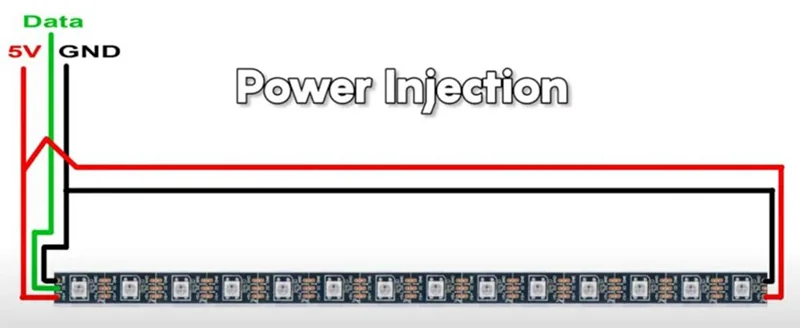
power: branch_load + injection + fuse + common_ground
commission: one_output -> full_load -> network_loss -> recovery
CURRENT PRODUCT RECORDS
24 V WS2814 RGBW addressable LED strip View productCHECKPOINT / 04
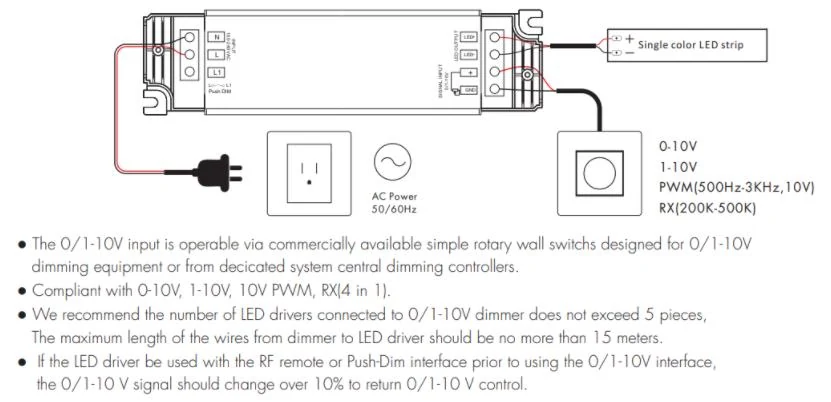
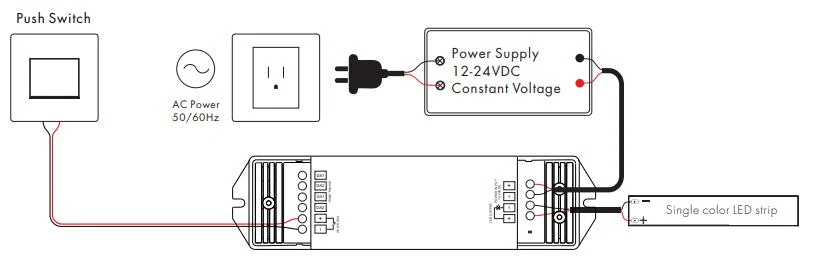
Design power separately from the port count
The data output does not automatically power the complete strip. Calculate the source, distribution, fuses, cables, connectors, injection and common ground for each branch. The controller may have a different current limit from the supply, and a receiver may require local power. Show the data path and power path as independent routes.
- Measure voltage and temperature with the real load at the farthest end.
- Do not use a larger supply to justify a small terminal, cable or receiver.
- Label polarity, fuse, cable, injection and disconnect point for every branch.
CURRENT PRODUCT RECORDS
24 V WS2814 RGBW addressable LED strip View productCHECKPOINT / 05
Commission one output and test recovery before scaling
Start with one output, a short strip and a minimal configuration. Check black, full white, colors, count, refresh, network loss, controller restart and recovery after power returns. Add receivers and outputs one at a time, verify maximum load and leave a local service mode that does not depend on the complete sequence.
- Define which layer owns each output.
- Keep a known-good local configuration and a way to isolate each branch.
- Repeat the test if the controller, firmware, receiver, length or variant changes.
CURRENT PRODUCT RECORDS
24 V WS2814 RGBW addressable LED strip View productVISUAL REFERENCES
See the layers before you specify the parts.
FAILURE MODES
What usually goes wrong
- The controller is chosen by port count without calculating pixels, channels and refresh.
- A strip is connected to a receiver because the plug looks similar, without confirming the interface.
- Universes or channels are assigned without separating physical pixels, groups and addresses.
- Signal is tested but cable, power, common ground and loaded voltage are not.
- Two software layers claim the same output or there is no local recovery mode.
TECHNICAL BASIS / VERSION
Keep the decision current
This guide is maintained as a versioned technical record. Recheck the current protocol documentation and the exact product revision before using it in a production installation.
Confirm the selected voltage, light engine, driver, controller, firmware and installation conditions against the product record and project brief.
FAQ / QUICK ANSWERS
Common questions about this lighting setup
Does a higher port count mean the controller can run more pixels?
Not necessarily. Check the exact hardware limit for pixels or channels per output, protocol, refresh, memory, distance, receivers and network load. Connector count is not a complete capacity specification.
Does the data output also power the strip?
Do not assume it does. Design the supply, distribution, fuses, cables, connectors, injection and common ground separately. Some receivers need local power and every branch has its own limit.
Can I freely combine WLED, DDP, E1.31, Art-Net, xLights and FPP?
Only after assigning an owner to every output and documenting transport, universe, mapping and recovery. Protocol names do not prove that the exact controller, receiver or strip is compatible.
READING LIST
Reference points used for this guide
The page is rewritten for LumaCircuit readers. These references establish the original topic or technical context; they do not replace an exact product review or a LumaCircuit test record.
- System planning reference / controller outputs, receivers and network load
- AusChristmasLighting community