01 / Short answer
Keep pixel timing and effects in WLED; let Home Assistant provide context and call a known preset or effect. Document the entity, state and recovery path as one build.
Home Assistant users running WLED locally
CHECKPOINT / 01
Give each layer one job
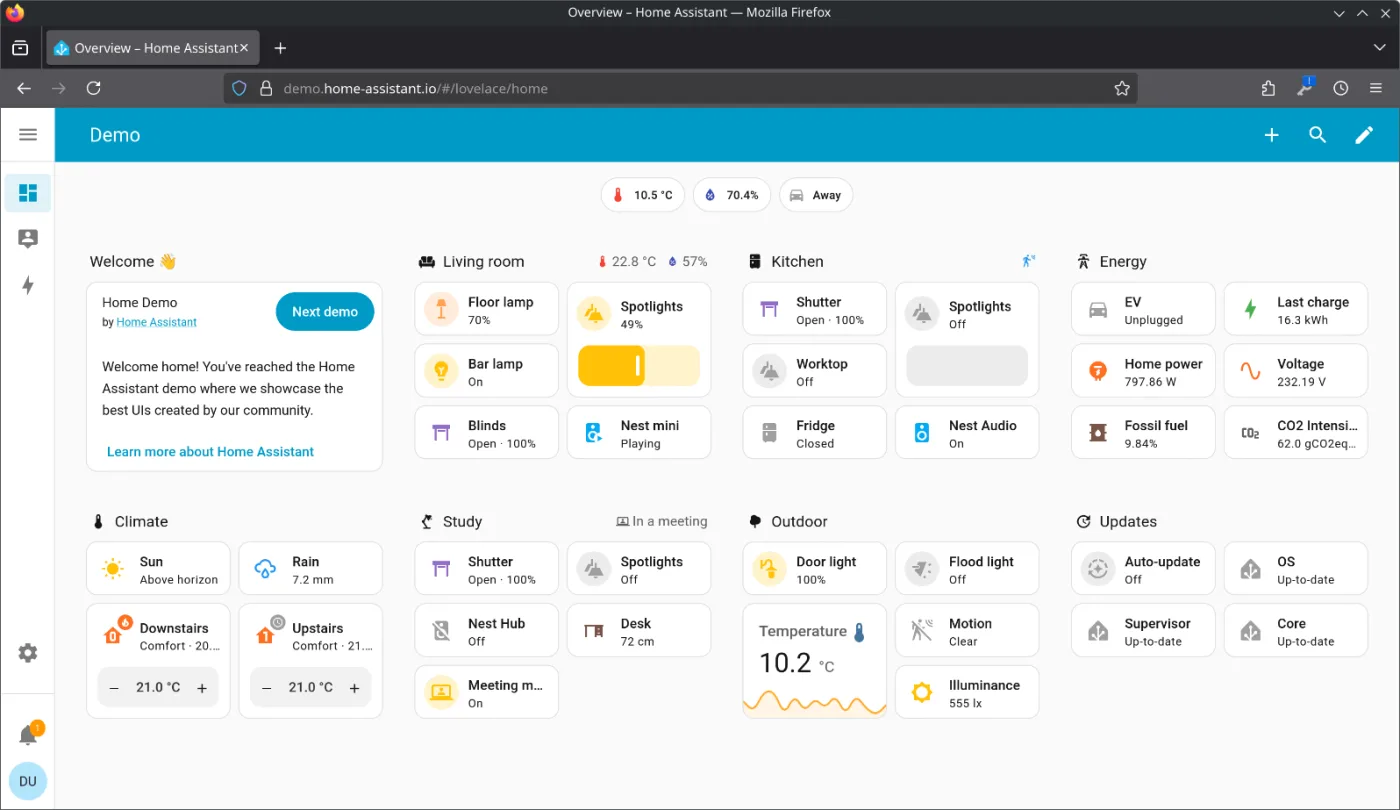
WLED owns pixel timing, segments and effects on the controller. Home Assistant owns room context, schedules and automations above that device layer. The automation is only as reliable as the exact WLED entity and network path that it calls.
- Keep pixel protocol, segment mapping and effects in the WLED device layer.
- Use Home Assistant for context and commands, not as a replacement for the controller or power path.
- Record the entity, integration path, firmware and restart behavior together.
CHECKPOINT / 02
Make one known WLED state recoverable
Save a tested local preset or effect state in WLED before adding a complex automation. Record the segment, brightness limit, effect, palette, preset identifier when exposed and the behavior after a WLED restart. A preset is a recoverable state for one concrete configuration; it is not proof that another controller, firmware revision or strip variant will behave the same way.
- Name the state by room and intent rather than by a temporary experiment.
- Keep brightness and effect speed inside the measured installation range.
- Confirm which preset or effect options the exact Home Assistant entity exposes.
CHECKPOINT / 03
Start with one predictable action
Trigger one entity, call one known effect or preset and check the result from the real Home Assistant instance. The example uses a light entity and an exposed effect option; replace both values with the entities and options that were actually tested. Add presence, media and time conditions only after this path is stable.
alias: Media wall - recoverable WLED effect
mode: restart
trigger:
  - trigger: state
    entity_id: binary_sensor.media_mode
    to: "on"
action:
  - action: light.turn_on
    target:
      entity_id: light.media_wall
    data:
      effect: "Solid"
CHECKPOINT / 04
Test the failure and restart path
Test the automation with WLED restarted, Home Assistant restarted, the network temporarily unavailable and the controller powered back on. Decide whether the light should stay off, return to a local WLED preset or wait for a new Home Assistant command. Do not describe recovery as automatic until the exact controller, firmware, integration and power sequence have produced that result.
- Separate a WLED device restart from a Home Assistant restart in the test log.
- Check what the entity reports while the controller is unreachable.
- Keep a local manual or preset fallback for service work and network failure.
CHECKPOINT / 05
Add scenes and conditions without hiding ownership
Once the single action is repeatable, use a Home Assistant scene or additional conditions to express room intent. Keep the WLED effect, segment assignment and brightness boundary visible in the record. For multiple segments, document which entity controls each segment and test simultaneous actions; an automation that turns on one light entity does not automatically define a safe multi-segment show.
- Add one condition at a time and keep the base action available for diagnosis.
- Store the entity, effect or preset, segment scope and expected fallback in the build note.
- Treat media presence, schedules and dashboards as optional context around a tested light path.
VISUAL REFERENCES
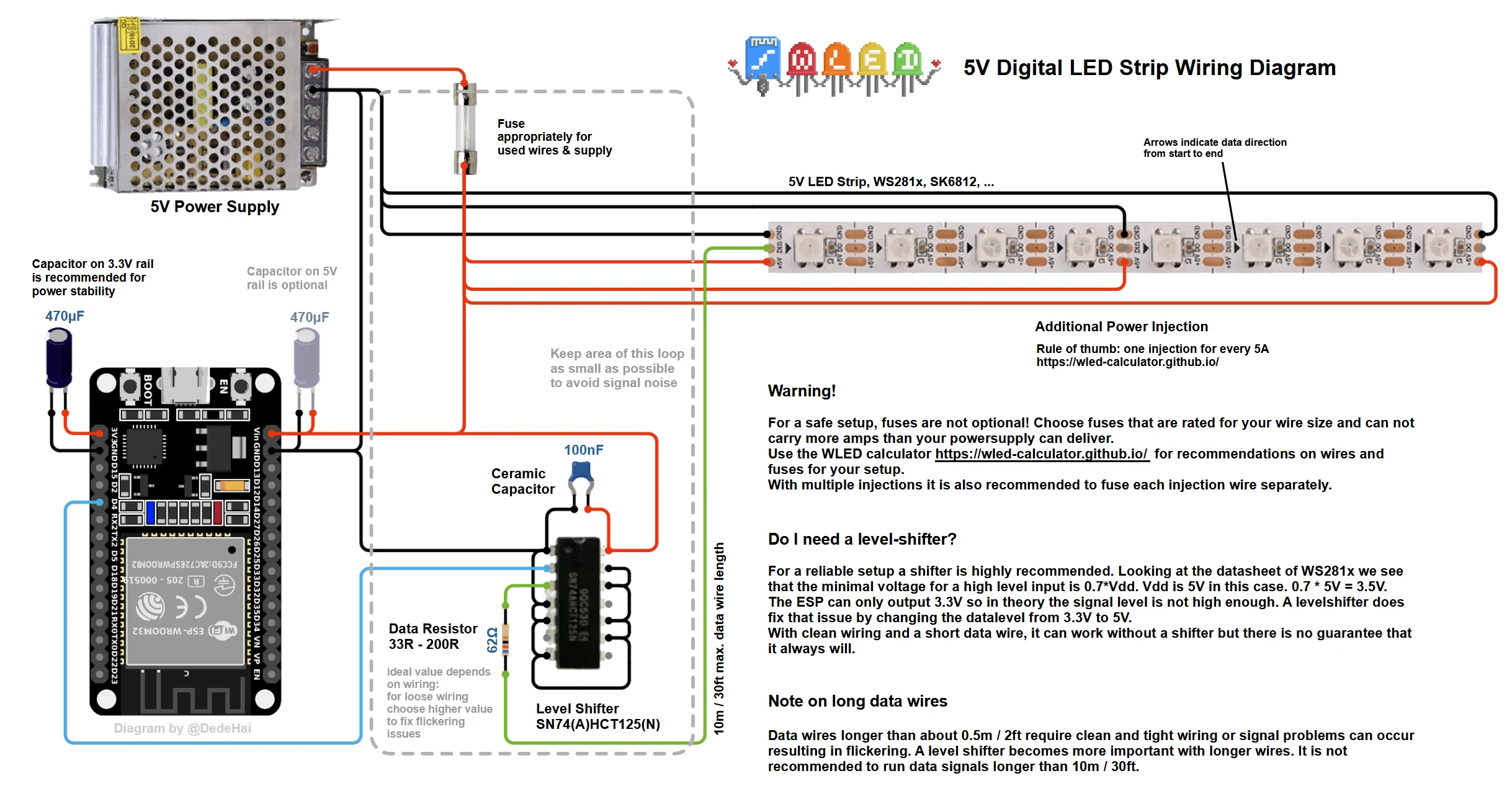
See the layers before you specify the parts.

FAILURE MODES
What usually goes wrong
- The automation relies on an effect or preset name that changed between firmware versions.
- A scene assumes RGBW channels or segments that the selected entity does not expose.
- Home Assistant is expected to replace WLED timing, the controller or the power path.
- The first action works, but WLED restart, Home Assistant restart and network loss are never tested separately.
- There is no documented local or manual fallback after a controller restart or integration outage.
TECHNICAL BASIS / VERSION
Keep the decision current
This guide is maintained as a versioned technical record. Recheck the current protocol documentation and the exact product revision before using it in a production installation.
Confirm the selected voltage, light engine, driver, controller, firmware and installation conditions against the product record and project brief.
FAQ / QUICK ANSWERS
Common questions about this lighting setup
Does Home Assistant run the WLED effects?
Usually no. WLED on the controller handles pixel timing, segments and effect rendering. Home Assistant supplies context and sends commands through the tested integration path. It cannot replace the controller, driver, power supply or data wiring.
Can any WLED device be added to Home Assistant?
No. The exact device, firmware, network path, entity mapping and exposed options must be checked. A WLED label, similar controller name or matching connector does not prove that the selected entity, effect, segment or preset path will work.
What should happen when Home Assistant or WLED restarts?
Define and test the expected behavior for each restart: the light may remain off, return to a local WLED state or wait for a new command. Record the actual result for the exact controller, firmware, integration and power sequence, and keep a manual service fallback.
READING LIST
Reference points used for this guide
The page is rewritten for LumaCircuit readers. These references establish the original topic or technical context; they do not replace an exact product review or a LumaCircuit test record.
- Reference / Home Assistant automation above a local WLED device
- WLED JSON API