01 / Short answer
A corner profile works when its angle, inner width, diffuser, cable exit and mounting surface are planned as one assembly. Fit the light before committing the cabinet finish.
DIY builders and installers adding a clean under-cabinet light line around an inside corner
CHECKPOINT / 01
Survey the corner and the sightline
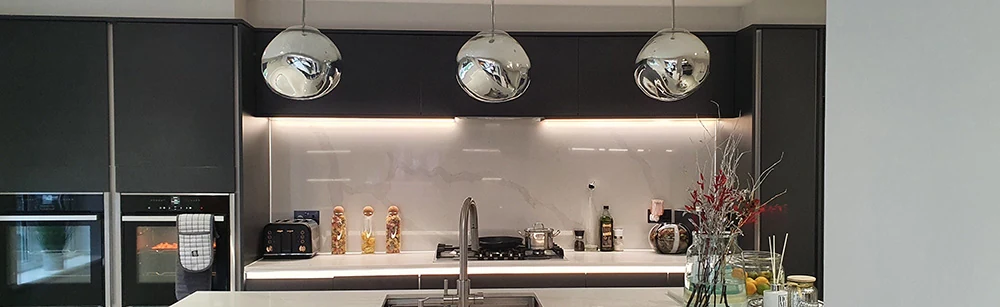
Measure both cabinet faces, the inside angle, the available depth and the direction from which people will see the light. Decide whether the goal is task light on the worktop, a soft front wash or a decorative line. A corner channel can hide the source and aim the diffuser, but its physical height may compete with doors, shelves, hardware and cleaning space.
- Mark the complete profile envelope, not only the strip centerline.
- Check door swing, shelf clearance and the cable route at both ends.
- View a short sample from standing and seated positions before cutting the full length.
CHECKPOINT / 02
Match the profile to the strip
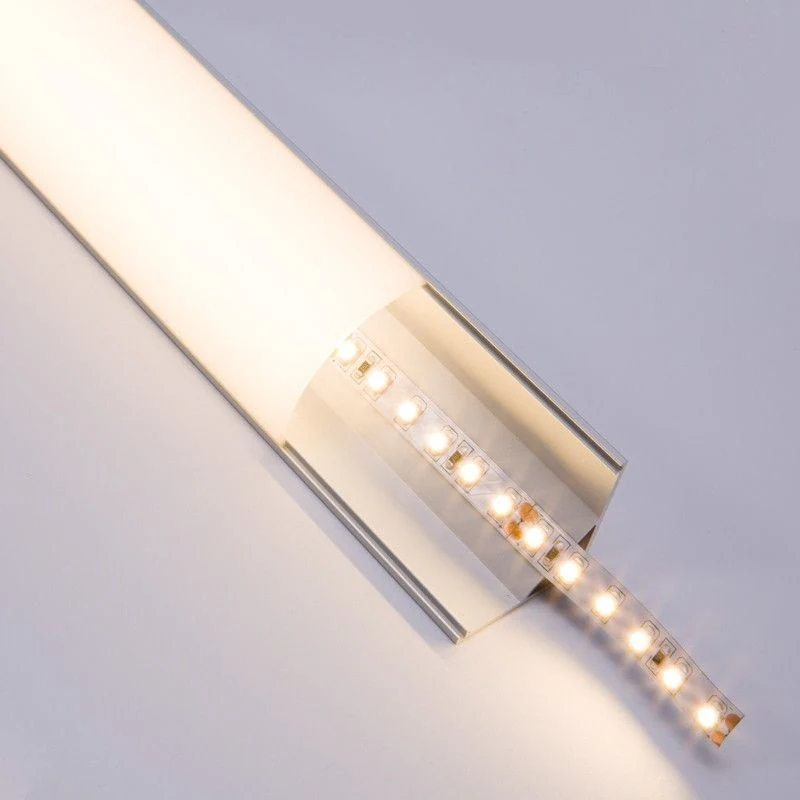
The profile inner width must accept the bare board, coating, solder joint and connector clearance. Select the diffuser from the desired output and visibility: clear preserves more source detail, while an opal cover spreads the light and can reduce output. The exact strip width, power and bend direction remain variant-specific even when the channel looks standard.
- Keep the strip and diffuser on the same sample when judging hotspots.
- Use an aluminum bed when it is needed for heat spreading or physical protection.
- Do not force a coated strip into a cavity sized for an uncoated board.
CURRENT PRODUCT RECORDS
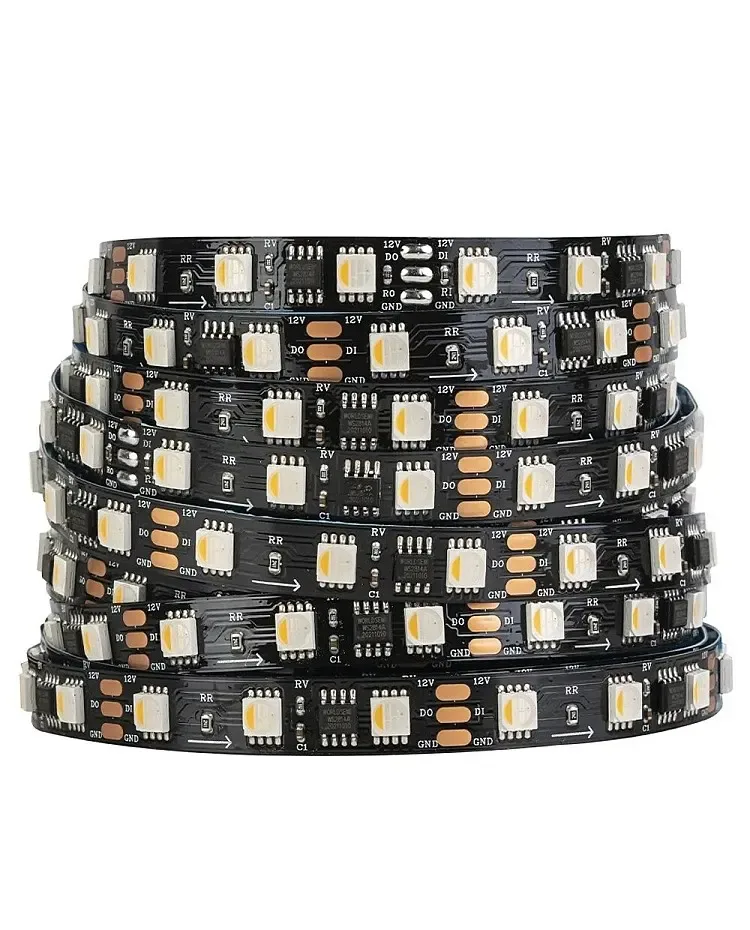
24 V WS2814 RGBW addressable LED strip View productCHECKPOINT / 03
Cut, deburr and dry-fit first
Cut the channel square, remove burrs and check the cover, end treatment and cable exit before fixing anything. Lay the strip in the channel without removing its adhesive liner, mark the power entry and confirm every cut mark. Dry-fitting exposes a short corner, an overhanging connector or a door collision while the assembly is still easy to change.
- Leave a service loop at the end that connects to the controller or supply.
- Keep the diffuser removable where a future strip repair is likely.
- Do not drill through the strip or let a mounting screw enter its electrical clearance.
CHECKPOINT / 04
Prepare the surface and install the light
Clean and dry the mounting surface, then fix the profile with the selected clips, screws or approved adhesive method. Route the cable without pulling on the strip joint. Seat the strip flat against the channel bed, keep its light-emitting face aligned with the diffuser and avoid folding it around the corner unless the exact product allows that bend.
- Use strain relief at the cable exit instead of relying on the solder joint.
- Keep the strip cut interval and polarity visible until the first test is complete.
- Allow the profile and adhesive to settle before pressing in a tight diffuser.
CHECKPOINT / 05
Test the real light before closing the cover
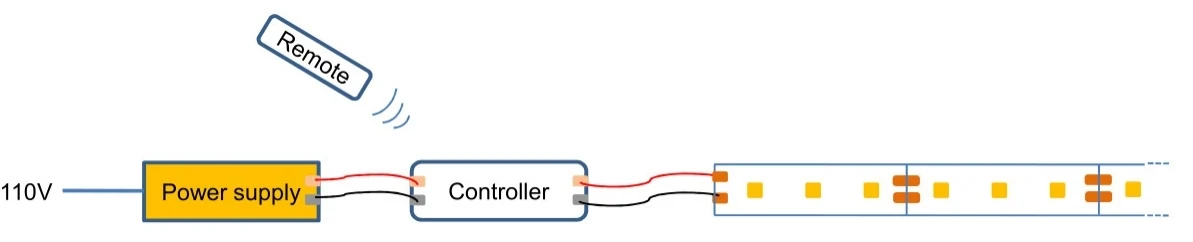
Connect the selected controller and supply, then check polarity, every channel, the far end, dimming range and the worktop illumination. Inspect from the final sightline for glare, shadows and a visible seam at the corner. Only after the light and cable path are accepted should the diffuser and end treatment be installed.
dry_fit -> continuity -> channel_test
worktop_light -> glare_check -> far_end_voltage
finish: cover + end_treatment + service_access
CURRENT PRODUCT RECORDS
24 V WS2814 RGBW addressable LED strip View productVISUAL REFERENCES
See the layers before you specify the parts.
FAILURE MODES
What usually goes wrong
- The outer profile size is measured while the inner cavity is too small for the selected strip.
- The channel blocks a cabinet door or leaves the light source in the normal sightline.
- The strip is bent around the corner beyond its allowed direction or radius.
- The cable is pulled tight and transfers movement into the solder joint.
- The diffuser is installed before a full-brightness and worktop-glare check.
TECHNICAL BASIS / VERSION
Keep the decision current
This guide is maintained as a versioned technical record. Recheck the current protocol documentation and the exact product revision before using it in a production installation.
Confirm the selected voltage, light engine, driver, controller, firmware and installation conditions against the product record and project brief.
FAQ / QUICK ANSWERS
Common questions about this lighting setup
Can any LED strip fit inside a corner profile?
No. Check the actual inner width and height against the strip board, coating, solder joint, connector and cable exit. A nominal channel size is only a starting point for a physical fit check.
Should the diffuser be clear or opal for under-cabinet lighting?
Use a physical sample. Clear covers preserve output but can reveal points; opal covers blend the source but can reduce output. The final result also depends on strip density, channel depth and the user sightline.
How do I keep a corner LED channel repairable?
Leave access to the controller, supply and cable joints, keep the diffuser removable where possible, and record the strip variant and final cut lengths before the cabinet finish is closed.
READING LIST
Reference points used for this guide
The page is rewritten for LumaCircuit readers. These references establish the original topic or technical context; they do not replace an exact product review or a LumaCircuit test record.
- Reference / localized technical tutorial