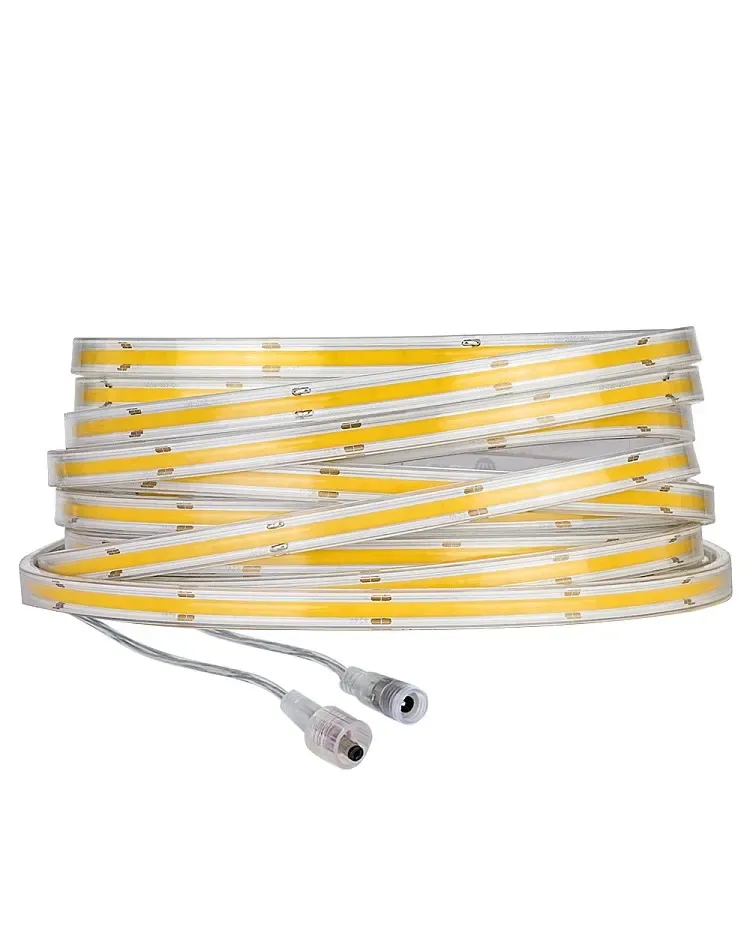
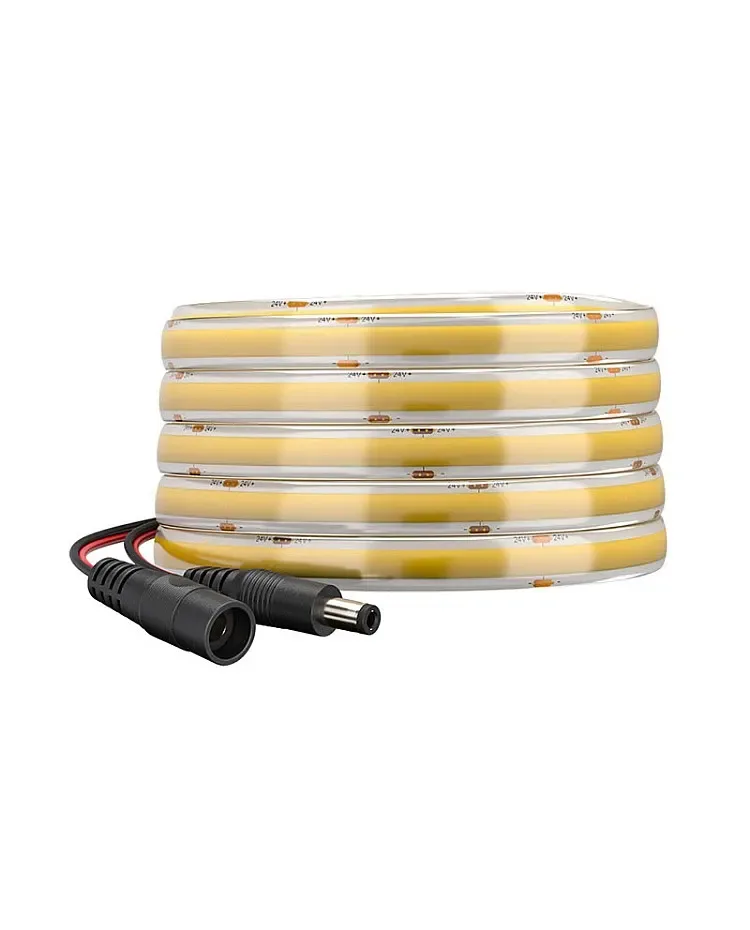
01 / Short answer
COB technology changes the visible light source, not the need to respect the strip circuit. Cut at the correct interval, align the pads, choose a width-matched connector or solder joint, and support the connection before powering the run.
Installers cutting, joining or cornering COB strips for continuous-looking linear light
CHECKPOINT / 01
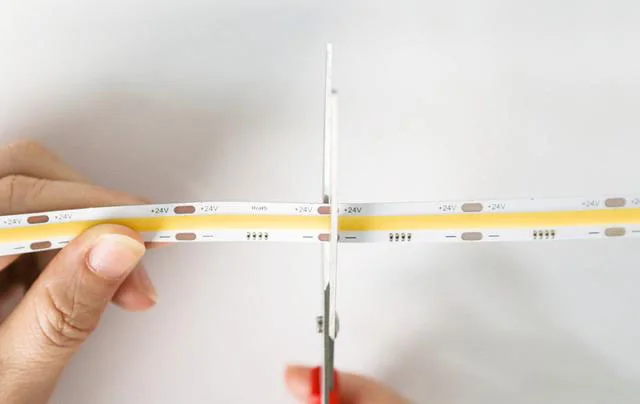
Read the COB circuit as a set of cuttable sections
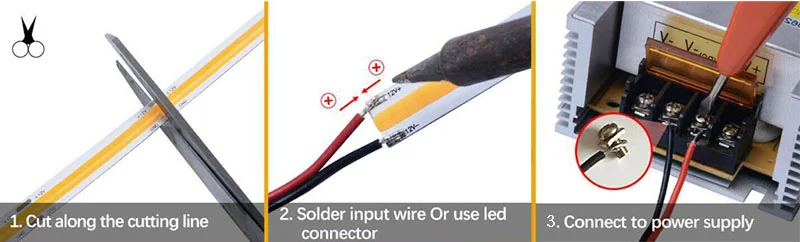
A COB strip can appear like one continuous phosphor line, but its PCB still contains repeated electrical sections. The cut interval, voltage and grouping must be taken from the exact variant. A clean-looking line is not evidence that the board can be cut anywhere. Mark the section boundary and preserve enough copper for the connector or soldered lead.
- Confirm the cut marks under good light before trimming.
- Keep the strip straight while cutting so the PCB is not twisted.
- Do not infer free-cut behavior from a different COB family.
CHECKPOINT / 02
Match the COB connector to the board
Solderless COB connectors are useful when the strip width, pad spacing and contact design match. Insert the strip far enough for every metal contact to land on its corresponding pad, then close the cover evenly. For CCT, RGB, RGBW or addressable COB variants, pin count and signal meaning change. A two-pin single-color connector is not a universal COB accessory.
- Confirm width with the coating removed where the connector requires it.
- Match positive, negative, channel and data pads exactly.
- Check that the connector height clears the diffuser and channel cover.
CURRENT PRODUCT RECORDS
IP65 COB CCT LED strip View productCHECKPOINT / 03
Use a controlled solder joint when the project needs it
Soldering can provide a compact and serviceable connection when the installer can control heat, ventilation and strain relief. Tin the wire and the clean pad lightly, heat the joint only long enough to flow the solder, then let it cool before moving the strip. Do not solder against a metal heat sink or press the hot iron into the COB surface. Inspect for bridges and give the cable a mechanical support point.
- Disconnect the supply and keep the iron tip away from the silicone and diffuser.
- Use a wire gauge that fits the branch current and pad size.
- Pull-test the cooled joint gently before adding its end treatment.
CHECKPOINT / 04
Plan power and corners as physical assemblies
A COB strip still consumes current along its path, and a long run can require separate feeds or injection. Keep power branches parallel where the calculated current and voltage drop require them. At a corner, use a bend radius, cut-and-join method or corner connector that the strip supports; forcing a sharp fold can damage the PCB and break the continuous optical line. A silicone cover or aluminum profile can protect and diffuse the result, but neither substitutes for a sound joint.
- Calculate the load from the exact COB watts per metre.
- Leave a service loop before the strip enters a hidden corner.
- Use a profile or cover that fits the joined height and width.
CURRENT PRODUCT RECORDS
IP65 COB CCT LED strip View productCHECKPOINT / 05
Test the joint before sealing or mounting
Power a short section first, then test the complete branch at low, normal and maximum planned brightness. Check for a dark section, reverse polarity, a channel mismatch, flicker, far-end drop and heat at the joint. Once the electrical behavior is correct, complete the seal or cover and test again. Keep the connector or solder method in the BOM so a future replacement preserves the same pad and voltage map.
- Inspect the phosphor line for a break or visible dark spot.
- Measure loaded voltage at the start and end of the branch.
- Do not close an inaccessible joint until the final seal has been reviewed.
CURRENT PRODUCT RECORDS
IP65 COB CCT LED strip View product 24 V IP67 CCT COB LED strip View productVISUAL REFERENCES
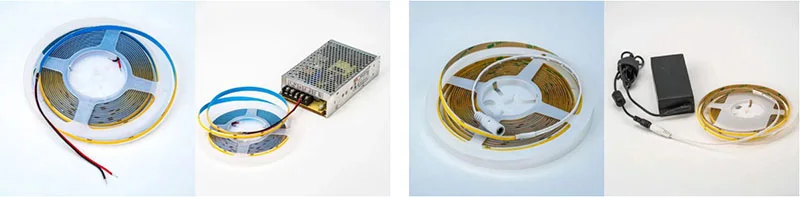
See the layers before you specify the parts.
FAILURE MODES
What usually goes wrong
- The seamless appearance is mistaken for an unrestricted cut interval.
- A connector fits the width but its contacts miss the COB pads.
- The soldering iron overheats the PCB or the joint is left without strain relief.
- A sharp 90-degree fold damages the strip at a corner.
- The strip is sealed before the joint, branch current and far-end brightness are tested.
TECHNICAL BASIS / VERSION
Keep the decision current
This guide is maintained as a versioned technical record. Recheck the current protocol documentation and the exact product revision before using it in a production installation.
Confirm the selected voltage, light engine, driver, controller, firmware and installation conditions against the product record and project brief.
FAQ / QUICK ANSWERS
Common questions about this lighting setup
Can COB LED strips be cut anywhere?
Only a specifically documented free-cut variant can be cut outside regular marks. Most COB strips still have circuit intervals, so confirm the exact product record before cutting.
Do COB strips use special connectors?
They need connectors whose width, contacts and pin meaning match the COB strip. A connector for a conventional strip is not automatically suitable.
Is soldering better than a connector?
It depends on the access, current, service plan and installation boundary. A controlled solder joint can be compact, while a matched connector can simplify replacement. Test and strain-relieve either method.
READING LIST
Reference points used for this guide
The page is rewritten for LumaCircuit readers. These references establish the original topic or technical context; they do not replace an exact product review or a LumaCircuit test record.
- Reference article / connecting COB LED strips