01 / Short answer
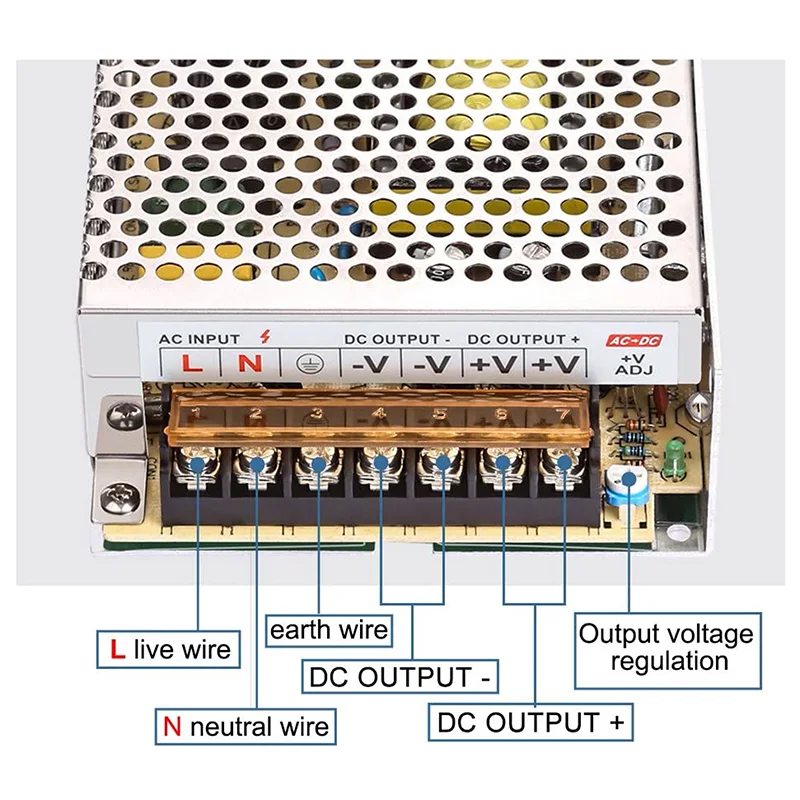
The safe connection begins by separating the supply AC input from its DC output. Match voltage first, size current second, then choose a connector or terminal method that preserves polarity, strain relief and the installation boundary.
DIY builders connecting a low-voltage LED strip to a plug-in adapter or enclosed DC supply
CHECKPOINT / 01
Read the supply from the output side
A low-voltage strip expects the DC output of a power supply, not the mains input. Locate the output voltage, positive and negative terminals, maximum current and environmental rating on the supply label. A 12 V strip requires a regulated 12 V DC output, and a 24 V strip requires 24 V DC. A higher-rated wattage is useful only after the voltage and topology are correct.
- Identify AC input terminals and DC output terminals separately.
- Confirm the strip voltage and DC polarity before choosing the connector.
- Keep the supply rating and installation environment in the project record.
CURRENT PRODUCT RECORDS
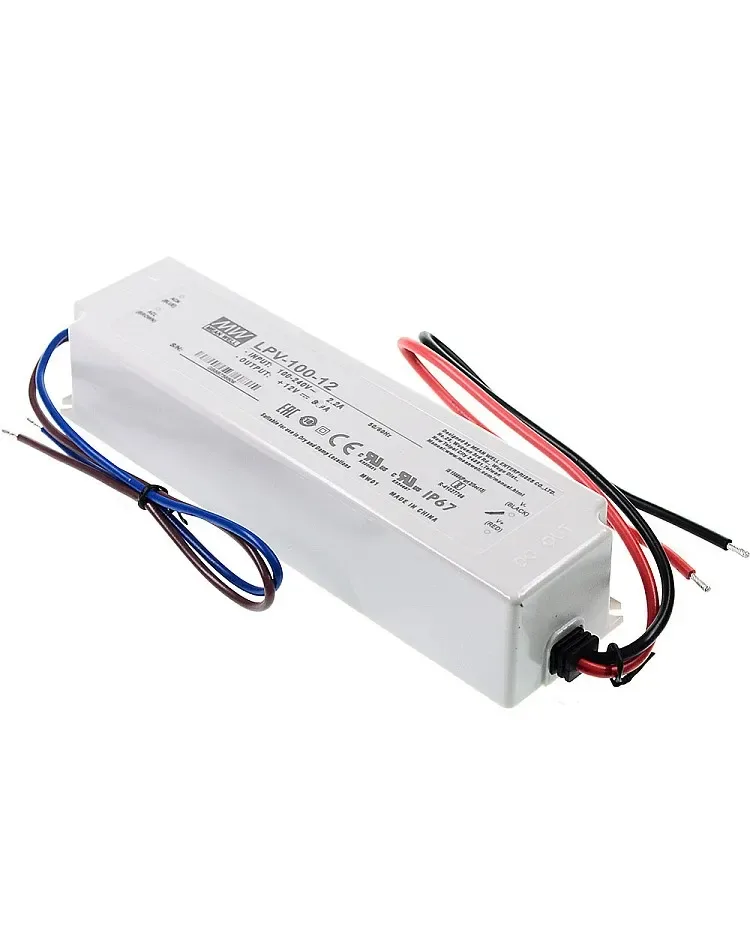
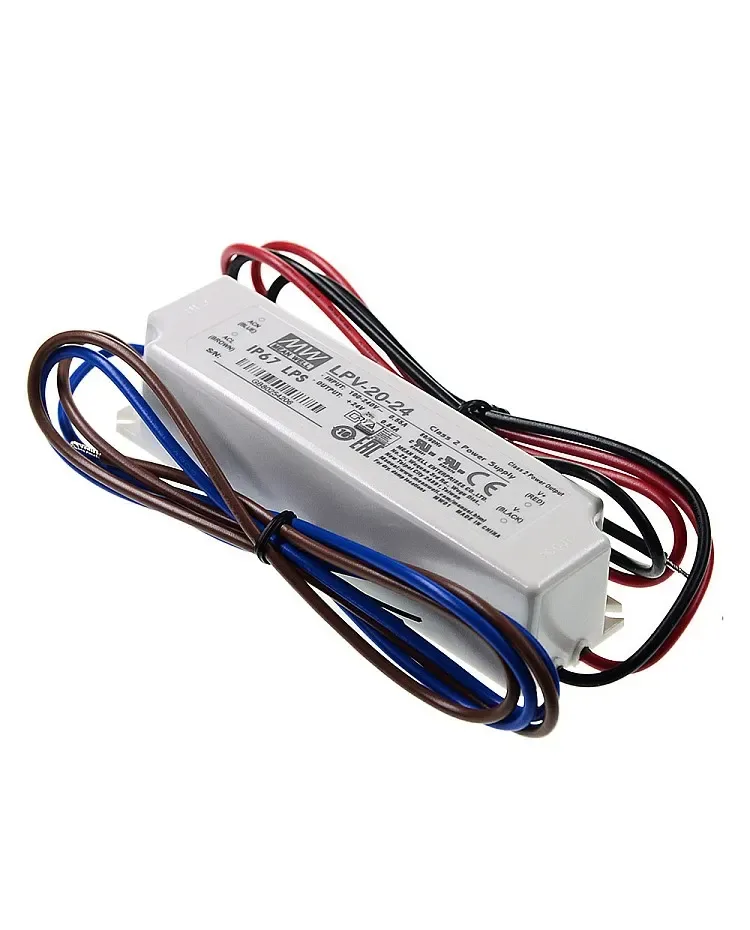
20 W 12 V DC waterproof LED power supply View product 35 W waterproof LED power supply View productCHECKPOINT / 02
Choose the connection style for the project
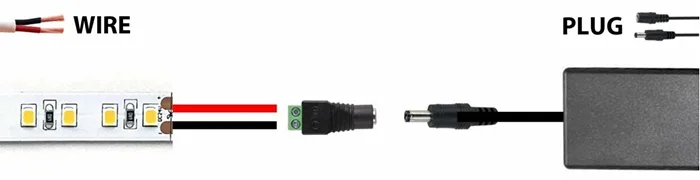
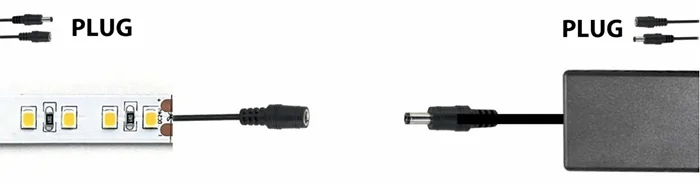
A plug-in adapter is convenient for a short, accessible installation with a matching barrel or strip connector. A terminal-style supply suits a fixed distribution point where branch wires can be labelled and secured. Neither style is automatically safer: the enclosure, cable entry, fuse, strain relief and access determine the practical result. Never treat a loose terminal or exposed mains conductor as a finished installation.
- Use a connector with the correct gender, barrel size and current rating.
- Use ferrules or the termination method specified for a screw terminal.
- Keep mains work within the local code and the installer qualification boundary.
CURRENT PRODUCT RECORDS
20 W 12 V DC waterproof LED power supply View product 100 W IP67 LED power supply View productCHECKPOINT / 03
Preserve polarity and mechanical relief
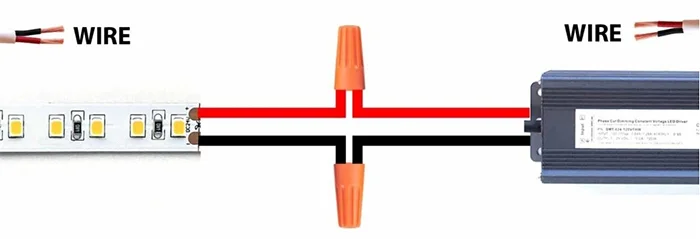
Connect positive to positive and negative to negative, then gently pull each low-voltage lead to check the mechanical grip. If the strip is cut, expose enough clean copper for the connector or solder joint without scraping away the rest of the coating. Route the cable so the joint is not carrying the weight of the run. A correct electrical connection can still fail if the cable bends the pad or pulls water and dust into the joint.
- Label the DC output before the supply is hidden.
- Keep a service loop at the strip end and at the distribution point.
- Use a sealed end treatment when the strip construction requires one.
CURRENT PRODUCT RECORDS
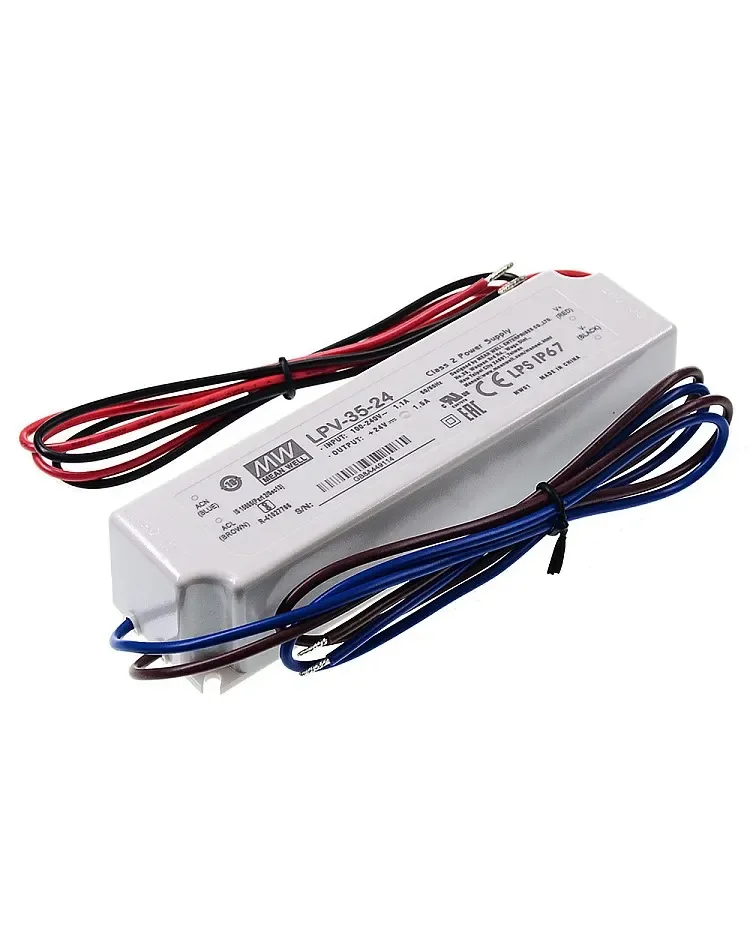
35 W waterproof LED power supply View product 100 W IP67 LED power supply View productCHECKPOINT / 04
Distribute several strips from a common supply
One supply can feed several strips when its total output, branch protection and distribution hardware are sized for the combined load. Prefer separate positive and negative branch leads from a distribution point for long or high-current layouts. The supply margin does not make a small connector or cable suitable for a larger branch. Calculate each branch, then check the total current and the loaded voltage at the furthest point.
total_w = sum(branch_watts)
total_a = total_w / output_voltage_v
supply_w >= total_w * 1.20
check_each_branch = voltage_at_load && connector_currentCHECKPOINT / 05
Power up in a controlled sequence
Before applying power, inspect the cut ends, connector cover, terminal clamp and cable route. Test a short section first, then the complete branch at low brightness and the intended maximum state. Watch for reverse polarity, controller reset, visible flicker, hot terminals or a supply that trips. Photograph the finished DC path, label the disconnect and leave the supply reachable for inspection rather than sealing it behind the light.
- Use a current-limited bench supply for a small first test when available.
- Measure output voltage at the supply and at the strip under load.
- Record the supply, fuse, branch length and connector type for service.
CURRENT PRODUCT RECORDS
35 W waterproof LED power supply View product 100 W IP67 LED power supply View productVISUAL REFERENCES
See the layers before you specify the parts.
FAILURE MODES
What usually goes wrong
- The strip is connected to the supply AC input instead of its DC output.
- Voltage is matched by connector shape rather than by the strip and supply labels.
- Positive and negative are reversed after a cut or extension.
- A common supply is used without adding the combined load and branch current.
- The joint is left unsupported or exposed even though the strip is in a demanding environment.
TECHNICAL BASIS / VERSION
Keep the decision current
This guide is maintained as a versioned technical record. Recheck the current protocol documentation and the exact product revision before using it in a production installation.
Confirm the selected voltage, light engine, driver, controller, firmware and installation conditions against the product record and project brief.
FAQ / QUICK ANSWERS
Common questions about this lighting setup
Can I connect an LED strip directly to a wall outlet?
Only a complete product designed for the local mains voltage can connect to an outlet. A typical 5 V, 12 V or 24 V strip needs a matching AC-to-DC power supply first.
Which wire is positive on an LED strip?
Wire colors are conventions, not proof. Use the PCB marks, connector key, power-supply label or a verified meter check to identify positive and negative.
Can several strips share one power supply?
Yes, if the supply and every branch component support the combined load. Use a calculated distribution plan and check voltage at each load under the intended bright state.
READING LIST
Reference points used for this guide
The page is rewritten for LumaCircuit readers. These references establish the original topic or technical context; they do not replace an exact product review or a LumaCircuit test record.
- Reference article / connecting an LED strip to a power supply