01 / Short answer
An analog RGB strip is a four-conductor load, but the pin order and common polarity must be confirmed on the exact strip. Build the path from strip to matched controller to matched DC supply, then split long runs into protected branches.
DIY builders and installers wiring an analog RGB strip with a low-voltage controller
CHECKPOINT / 01
Identify the four pads before you name the colors
A conventional analog RGB strip normally has one common conductor and three switched color channels. Many products use a common positive pad with R, G and B returns, but the printed marks, connector orientation and controller manual take priority over wire color. Do not assume that an addressable RGB strip uses the same four-pin meaning: it may need power, ground and data instead of three PWM returns.
- Photograph the strip marks and connector orientation before cutting.
- Confirm voltage and whether the strip is analog or addressable.
- Treat R, G and B as channel labels until the exact pin order is documented.
CURRENT PRODUCT RECORDS
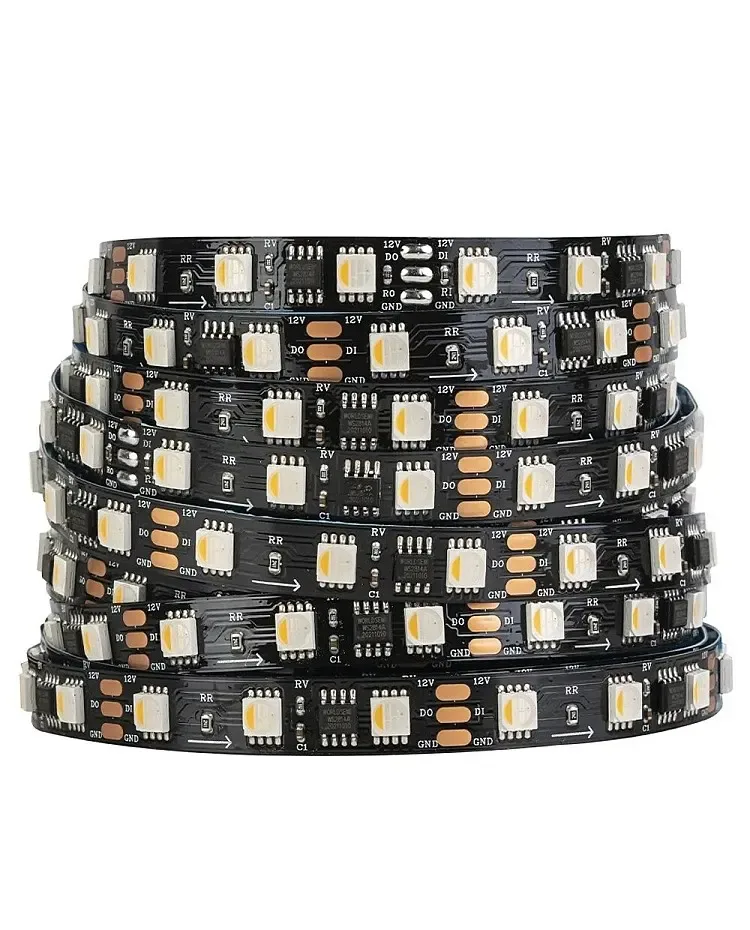
24 V WS2814 RGBW addressable LED strip View productCHECKPOINT / 02
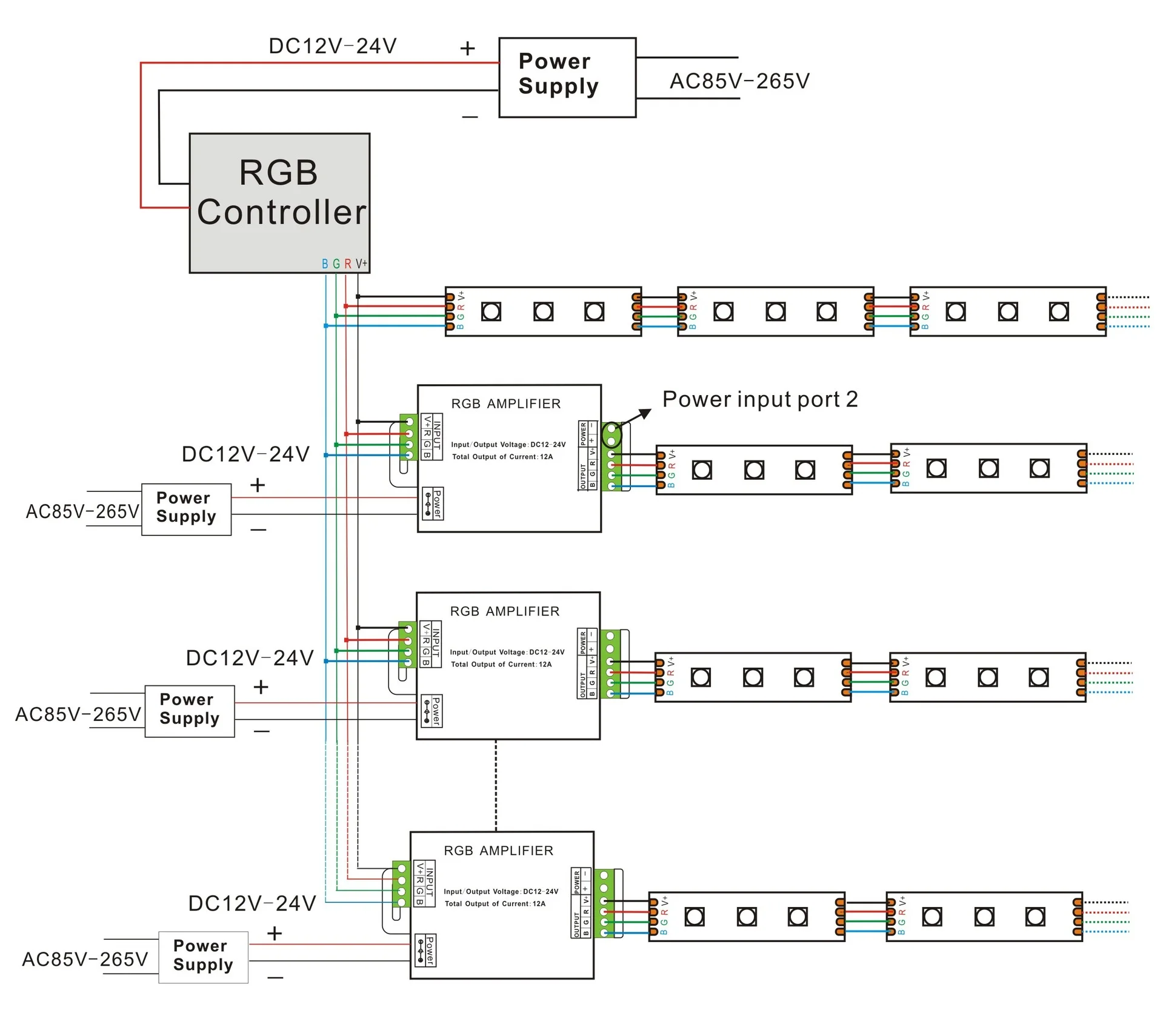
Put the controller between the strip and the supply
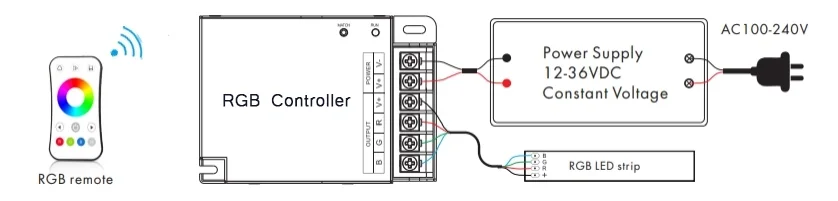
For a constant-voltage analog strip, the controller output connects to the strip channels and the controller input connects to the DC supply. The supply voltage must match the strip, while the controller must support the same voltage, channel count and total current. An RGBW product is a different four-channel arrangement even when its connector looks similar, so do not use an RGB controller as a shortcut for RGBW or addressable hardware.
- Read input and output markings from the controller, not only the plug shape.
- Keep the supply positive and negative on the controller input side.
- Leave the controller accessible for reset, replacement and heat inspection.
CURRENT PRODUCT RECORDS
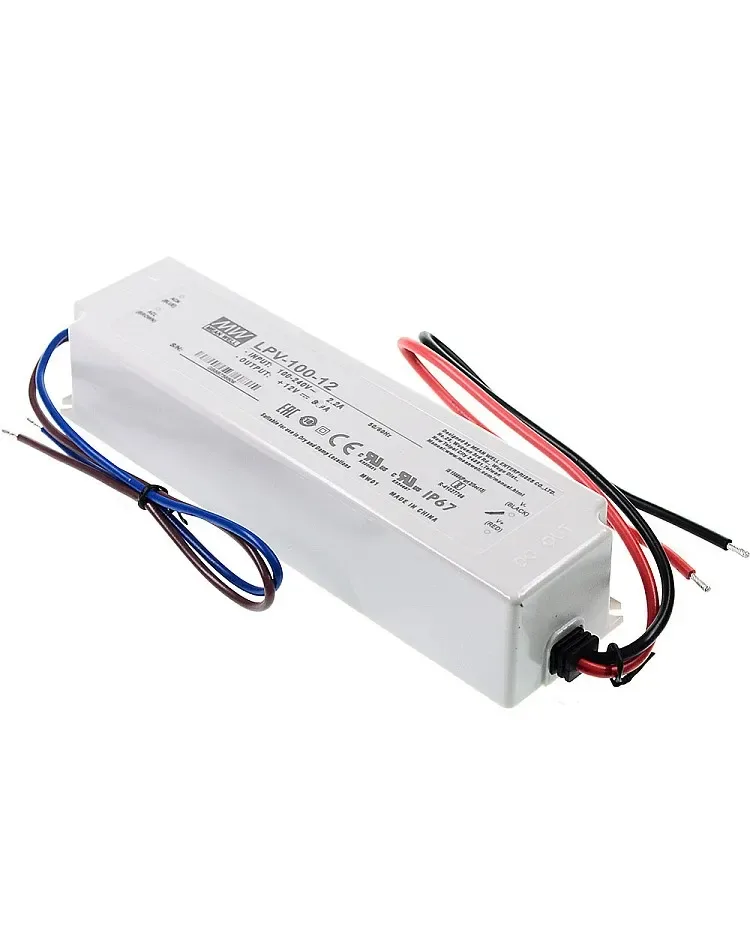
100 W IP67 LED power supply View productCHECKPOINT / 03
Calculate the full-state load
Size the branch for the state that draws the most current, not for a calm single-color scene. Start with the exact watts per metre, multiply by the installed length, and convert the result to current at the selected voltage. Include the controller rating, cable length, connector rating and a planning margin. A controller that can display a color is not automatically able to carry the current of several parallel sections.
load_w = watts_per_m * length_m
current_a = load_w / voltage_v
branch_current_a <= controller_output_limit
supply_w >= load_w * 1.20
CURRENT PRODUCT RECORDS
24 V WS2814 RGBW addressable LED strip View product 100 W IP67 LED power supply View productCHECKPOINT / 04
Use parallel branches for distance
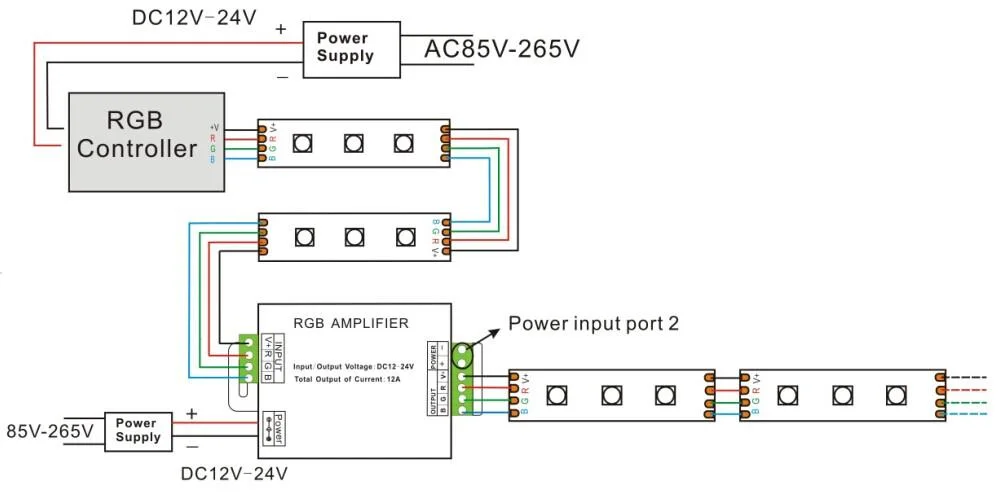
A long RGB installation should normally distribute power to separate sections instead of feeding every metre through the previous strip. The controller signal and the power path are separate decisions: an analog amplifier can be used only when the selected controller and amplifier support the same strip topology, voltage and current. Do not apply an analog amplifier to a digital data line, and do not treat a longer advertised run as proof that a branch is electrically sound.
- Bring power to each branch from a fused distribution point when current requires it.
- Keep branch polarity and channel order consistent.
- Measure the first and last section while the intended bright state is active.
CURRENT PRODUCT RECORDS
100 W IP67 LED power supply View productCHECKPOINT / 05
Commission every channel before mounting
With power disconnected, inspect polarity, terminal clamping and exposed copper. Power the system at a controlled brightness, select red, green, blue, mixed white and the maximum planned state, then check each section for the same response. Look for a reversed channel, a loose pad, color drift, hot connectors or a controller that resets. Save a photograph of the final pinout and label both ends before the strip disappears into a profile.
- Test color order and brightness at the farthest branch.
- Check voltage and connector temperature under the maximum planned state.
- Record the controller, supply, fuse and branch map for the next repair.
CURRENT PRODUCT RECORDS
24 V WS2814 RGBW addressable LED strip View productVISUAL REFERENCES
See the layers before you specify the parts.
FAILURE MODES
What usually goes wrong
- An RGB connector is fitted to an addressable or RGBW strip because the pin count looks similar.
- The common conductor and channel returns are reversed at the controller.
- Several sections are daisy-chained until the controller or cable carries more current than its rating.
- An amplifier is used without a compatible power feed or is placed on a digital data line.
- The installation is closed before all colors, branches and the maximum brightness state are tested.
TECHNICAL BASIS / VERSION
Keep the decision current
This guide is maintained as a versioned technical record. Recheck the current protocol documentation and the exact product revision before using it in a production installation.
Confirm the selected voltage, light engine, driver, controller, firmware and installation conditions against the product record and project brief.
FAQ / QUICK ANSWERS
Common questions about this lighting setup
How many wires does an analog RGB strip need?
Most analog RGB strips use four conductors: one common conductor and three color channels. Confirm the exact polarity and printed pad order because an addressable RGB strip can use a different data pin arrangement.
Can I connect RGB strips in series?
A short continuous section may be connected according to its product instructions, but long runs should be planned as separately powered branches. Check loaded voltage, total current, controller output and cable limits instead of relying on a generic length.
Can an RGB controller run RGBW?
Not by default. RGBW has a separate white channel and a different four-channel load map. Use a controller and connector specified for the exact RGBW strip.
READING LIST
Reference points used for this guide
The page is rewritten for LumaCircuit readers. These references establish the original topic or technical context; they do not replace an exact product review or a LumaCircuit test record.
- Reference / wiring analog RGB LED strips with channel and branch planning